Install notes · Seat 08
Mega888 app install notes for Android phones and iPhones
The Mega888 iPhone build won't open until you trust an enterprise developer in Settings. Here is each screen, plus the shorter Android route and the login page.
The first time you tap the Mega888 icon on an iPhone, nothing happens except a grey warning box. That's expected. The app isn't in the App Store or Google Play, so the iPhone build is signed with a company's enterprise certificate and iOS wants you to approve it by hand.
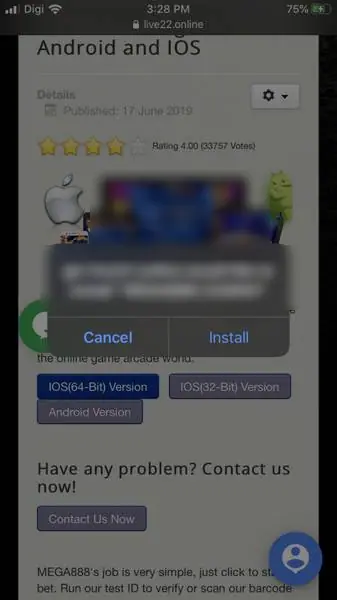
The old page offered two iPhone builds (64-bit and 32-bit) and one Android file. We don't host or link any of them. What follows is what the install screens looked like, so you know what you're agreeing to. For the games themselves, the Mega888 platform page has more.
Getting past the Epson warning
Tap the iOS build in Safari and a system box pops up saying a download host "would like to install MEGA888 CASINO". Cancel or Install.
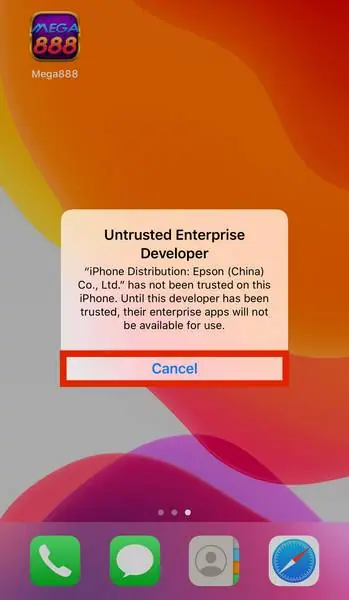
After Install the icon sits on the home screen saying "Loading...". Once it finishes, opening it gives you "Untrusted Enterprise Developer", naming "iPhone Distribution: Epson (China) Co., Ltd.". The only button is Cancel.
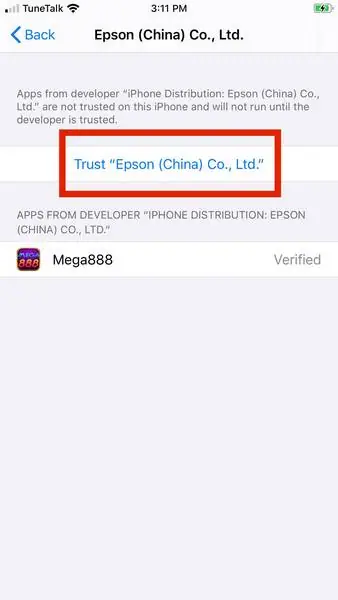
To clear it:
- Settings > General > Device Management. The developer name shows in grey beside it.
- Tap the name under Enterprise App.
- Tap the blue "Trust ..." line, then Trust again in the pop-up.
- Mega888 now shows Verified, and a red Delete App button replaces the trust line.
Actually read that pop-up. iOS says trusting "will allow any app from this enterprise developer to be used on your iPhone and may allow access to your data." That covers every app signed with the same certificate. These certificates also get revoked quite often, and when that happens the app just stops opening until you install a newer build.
Android is shorter
No screenshots here. Your browser will warn that the file could be harmful, then Android asks you to allow "Install unknown apps" for that browser. I'd switch that permission off again straight after. Then check what the app asks for; a slot app has no business reading your contacts or SMS.
The login screen
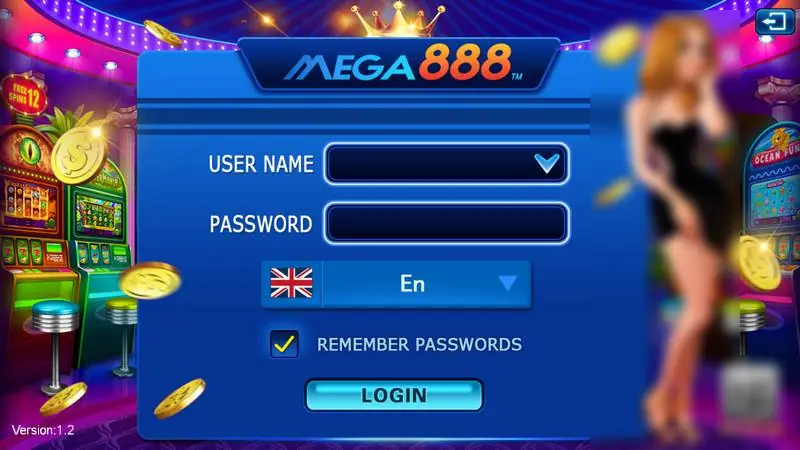
Mega888 opens sideways, in wide mode: User Name, Password, a language picker (English shown), a Remember Passwords tick and a Login button. There's a small Share QR Code tile in the corner and "Version:1.2" at the bottom left.
No register button anywhere. Your ID comes from an agent, and if you don't have one you can ask for a Mega888 game ID. Pick a password you don't use for anything else, and never your Maybank or other online banking one.
Other platforms are in the downloads hub.
Ask the dealer: common questions
Can I create a Mega888 account inside the app?
No. The login screen only has User Name and Password boxes and no sign-up button. The ID and password come from an agent.
Is there a Mega888 app for Windows?
The old page said no, and suggested running the Android version inside an Android emulator on a PC. That is one more piece of third-party software on your computer, so think twice.
18+ only. Real-money games; online gambling is restricted in Malaysia. Never top up money you need, and stop if it stops being fun. Responsible gaming.