Install notes · Seat 09
NTC33 install notes: two Android apps and a Windows client
NTC33 came as two separate Android apps, one for live tables and one for slots, plus a Windows client and a web lobby. No iPhone build.
NTC33 needs two Android apps if you want everything. One is for live dealer tables, the other for slots. The old page also had a Windows installer and pointed to a browser version, and it said straight out that there was no iPhone app.
If you only play slots, install only the Slot app. Every extra app is another set of permissions.
We don't host or link any of these files. The NTC33 platform page covers the games; this page is about what the installs look like.
The Live app and its roulette table
Neither Android app comes from Google Play. Your phone will warn about the file, then ask you to let the browser or file manager "Install unknown apps". Allow it for this one install and turn it back off.
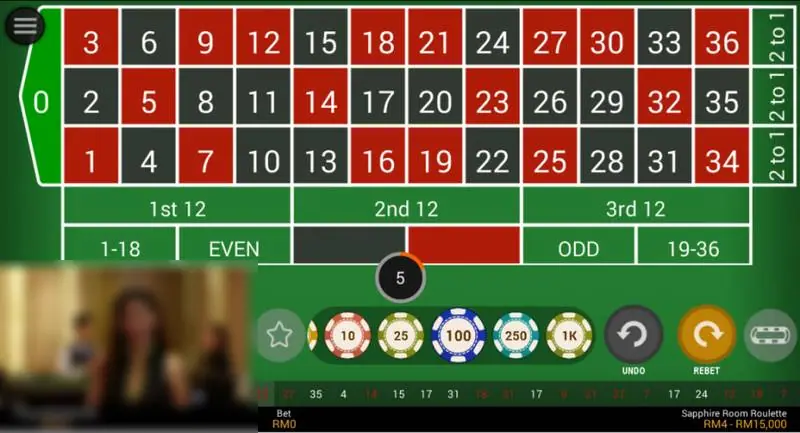
The Live app streams real tables. On the roulette screen you get the full number grid, chips of 10, 25, 100, 250 and 1K, Undo and Rebet, and a strip of recent results along the bottom. The room in the screenshot, Sapphire Room Roulette, shows limits of RM4 to RM15,000.
Video streams eat mobile data. Try it on Wi-Fi before you burn through your plan.
PC client versus browser
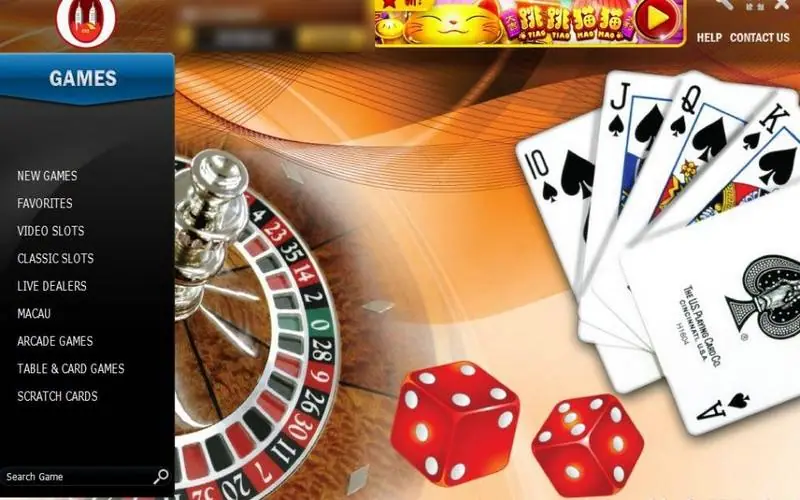
The Windows client opens on the lobby in the hero shot. The left menu runs New Games, Favorites, Video Slots, Classic Slots, Live Dealers, Macau, Arcade Games, Table & Card Games, Scratch Cards, with a search box underneath. Across the top: player name, MYR balance, a Cashier button, Help and Contact Us.
Expect Windows SmartScreen to complain about an installer from an unknown publisher. Read the warning instead of clicking through it, and keep your antivirus on.
The web version skips installing altogether. It has tabs for New Games, Live Dealer Games, Slot Games, Jackpot Games and All Games, a New Jackpot Games box on the right, and a Most Popular Games row.
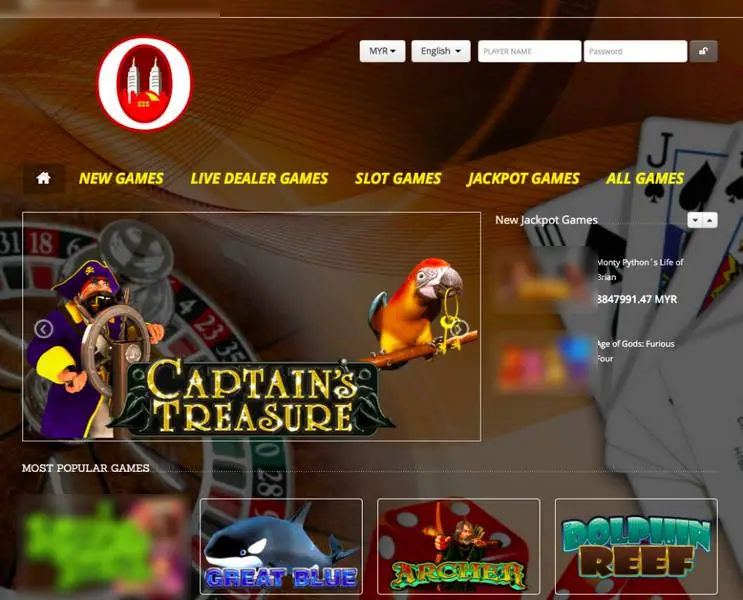
In the top right corner there's a currency picker, a language picker, and two boxes: PLAYER NAME and Password. No sign-up link. Accounts are made by an agent, so you'd need to get an NTC33 player name first. Use a password that's only for this, and deny any request for contacts, SMS or call logs.
More install notes are in the downloads hub.
Ask the dealer: common questions
Does NTC33 work on iPhone?
The old page said iOS was not supported and offered only Android, Windows and a web version. We saw no iPhone screens.
18+ only. Real-money games; online gambling is restricted in Malaysia. Never top up money you need, and stop if it stops being fun. Responsible gaming.