Install notes · Seat 12
SKY777 app install notes: iPhone trust screens and Android
The SKY777 iPhone build is signed by Kreatif Jaya Sdn. Bhd and needs a manual trust step. The screens, a word on Android, and a look at the lobby afterwards.
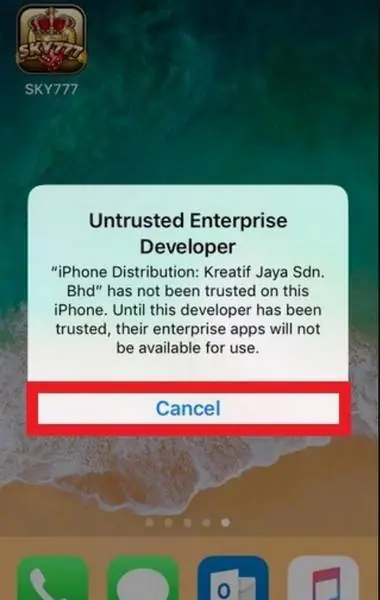
On the SKY777 iPhone build, the name you'll be asked to trust is "Kreatif Jaya Sdn. Bhd". That's the company whose enterprise certificate signed the app in these screenshots. Other builds may carry a different name.
The old page had an iPhone file and an Android file. It also claimed Windows 10 and browser play, with nothing to back that up on the page. We don't host or link any files; the SKY777 platform page has more about the platform.
Kreatif Jaya and the Trust button
After you tap Install in Safari, a gold SKY777 icon lands on your home screen. Open it and iOS blocks you: "iPhone Distribution: Kreatif Jaya Sdn. Bhd" has not been trusted on this iPhone.
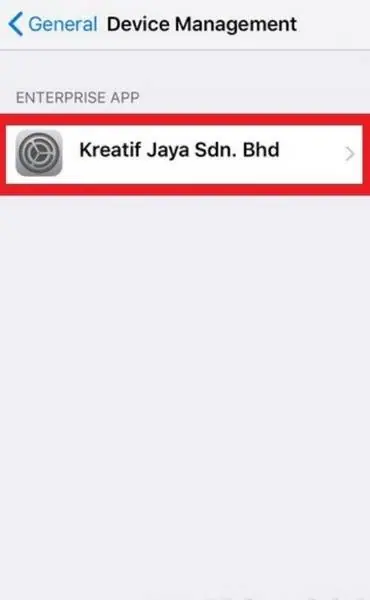
Cancel, then Settings > General. On the older iOS in these shots, Device Management sits between VPN and Regulatory with the company name in grey. Tap it and you'll find the developer alone under Enterprise App.
Tap it, tap the blue Trust line, and iOS asks one more time. The box says trusting lets any app from this developer run and "may allow access to your data".
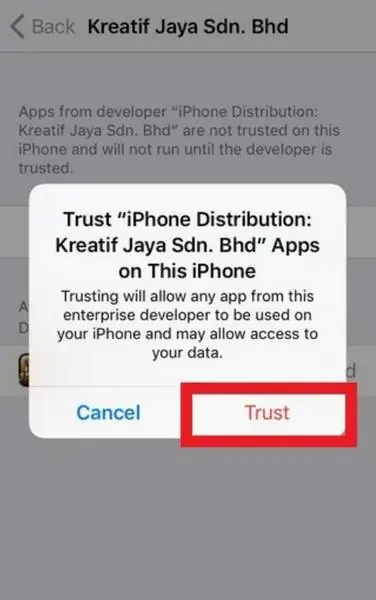
Tap Trust and SKY777 shows Verified. If the certificate gets revoked later, the app stops opening and you'd need a fresh build. Deleting the app removes the trust as well.
Android had no screenshots. It's the usual routine: a warning about the file, then a toggle to let your browser install unknown apps. Turn that toggle off once you're done.
What's behind the login
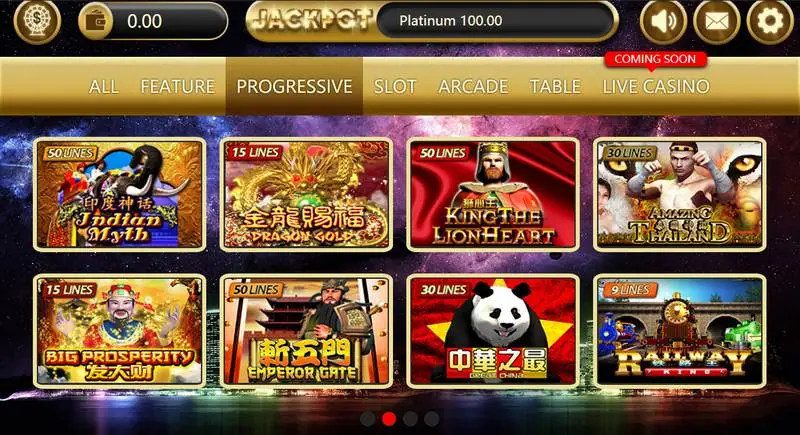
You need an ID and password from an agent to get in; you can get a SKY777 game ID if you don't have one. The lobby tabs are All, Feature, Progressive, Slot, Arcade and Table, with Live Casino tagged Coming Soon. Each tile shows its line count: 50 for Indian Myth, 15 for Dragon Gold, 9 for Railway King.
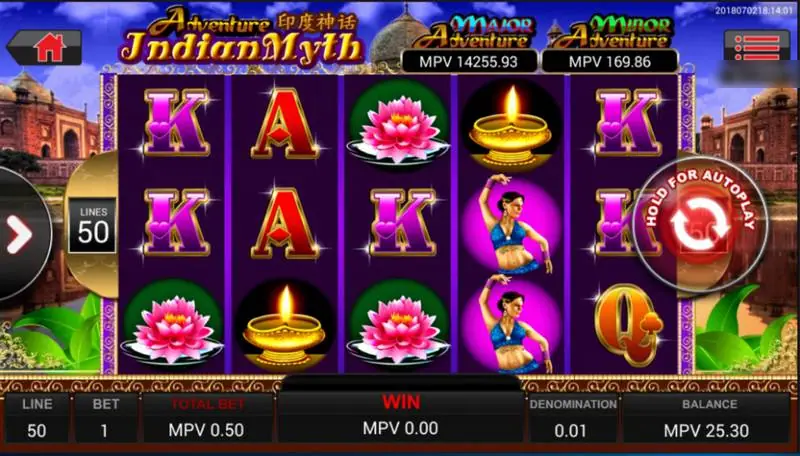
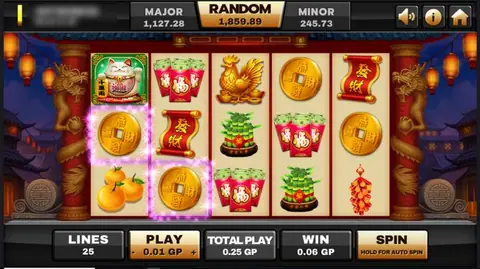
Inside a slot, the bottom bar reads Line, Bet, Total Bet, Win, Denomination and Balance. Autoplay is the big round button on the right; you hold it rather than tap it. I'd leave that alone until you know what a single spin costs you.
Other platforms: downloads hub.
Ask the dealer: common questions
Does SKY777 run on a PC?
The old page said it could run on Windows 10 or in a browser, but it only offered iPhone and Android files. We saw no PC screens.
What is MPV on the slot screen?
The slot screenshots come from a test account and show amounts in MPV, which looks like a test currency. We couldn't confirm what a normal RM account shows.
18+ only. Real-money games; online gambling is restricted in Malaysia. Never top up money you need, and stop if it stops being fun. Responsible gaming.