Install notes · Seat 03
ACE333 app install notes: iPhone trust step, login and lobby
The ACE333 login screen wants a User ID you can only get from an agent. Here is how the iPhone install got to that screen, and what the lobby looks like after.
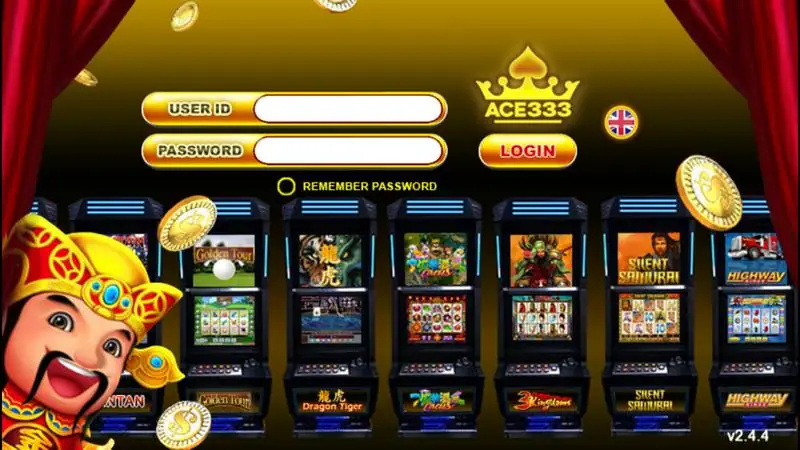
Two gold boxes, User ID and Password. A Remember Password circle, a red Login button, a little flag for language. That's the whole ACE333 login, and there's no Register button on it, because the ID comes from an agent. Behind the form you can see cabinets for Golden Tour, Dragon Tiger, 3 Kingdoms, Silent Samurai and Highway, and the corner says v2.4.4.
Getting to that screen on an iPhone takes a detour through Settings. The old page had iPhone, Android and Windows files; only the iPhone path was screenshotted, and we don't host or link any of them.
Before the login screen
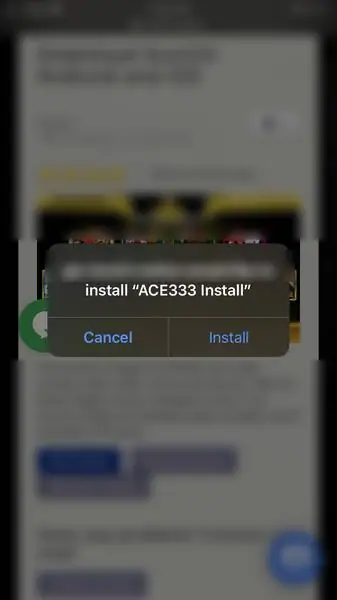
In Safari the download host asks to install "ACE333 Install". Tap Install and a dark "Loading..." icon fills in on the home screen.
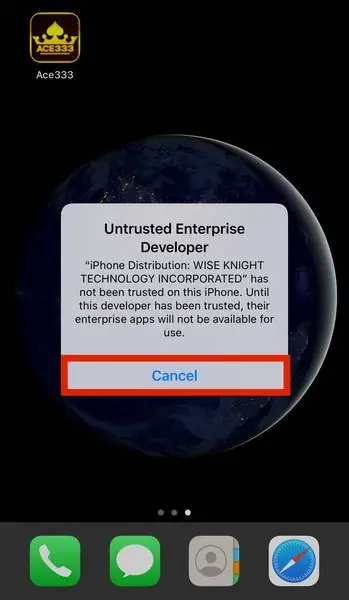
Tap the gold crown icon and iOS stops you with "Untrusted Enterprise Developer", naming an incorporated company as the "iPhone Distribution" signer. Hit Cancel.
Now Settings > General > Device Management. The row shows the start of the company name in grey. Tap it, tap the company under Enterprise App, and you land on a page with a blue Trust line at the top and Ace333 listed underneath as Verified.
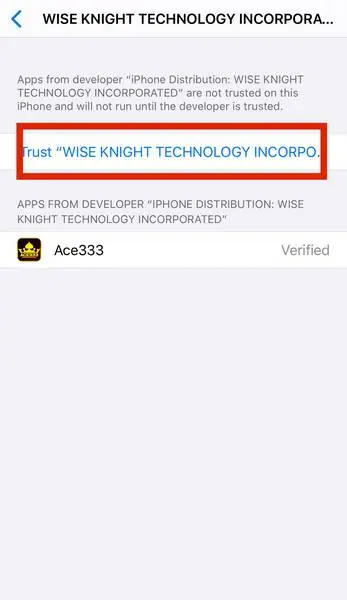
Tap Trust, then Trust again in the pop-up. The pop-up is honest about it: any app from this developer can now run, and may get access to your data. When you're done playing, come back here and use Delete App, which removes the app and the trust together.
Apple does revoke enterprise certificates. If ACE333 suddenly refuses to open one day, that's usually why.
After you log in
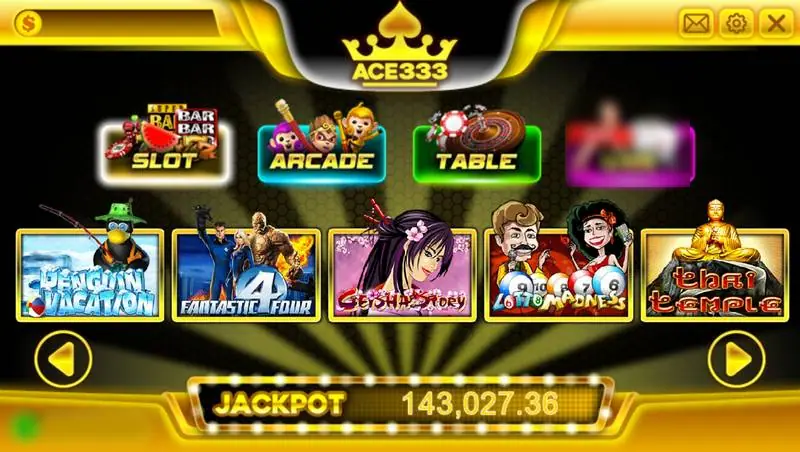
Four big tabs across the top: Slot, Arcade, Table and Live, with Live marked Coming Soon in this capture. Tiles underneath include Penguin Vacation, Geisha Story, Lotto Madness and Thai Temple, with a jackpot counter running at the bottom. The old page said one balance covers all four sections, which fits the single balance bar you see.
For Android and Windows there's nothing to show. Android will ask to allow unknown sources, Windows will likely warn about the publisher. I'd only accept either for a file from someone I trust, and I'd never type my banking login into the app or hand it to the agent.
If you still want to get an ACE333 user ID, read the ACE333 platform notes first. Game pages such as Three Kingdom on ACE333 are on the ACE333 hub.
Ask the dealer: common questions
Does ACE333 run on a computer?
The old page listed a Windows build next to the phone versions. There are no screenshots of its setup, so we can't tell you what it looks like.
What goes in the User ID box?
The user ID an agent creates for you, with the password they give you. The screen has no register option.
18+ only. Real-money games; online gambling is restricted in Malaysia. Never top up money you need, and stop if it stops being fun. Responsible gaming.