Install notes · Seat 06
Live22 install notes: iPhone trust step, Player ID login and lobby
The Live22 iPhone build in these screenshots was signed under an electronics company's name. What that means, how the trust step went, and what the Player ID login looks like.
The certificate on this Live22 iPhone build belonged to an electronics company from China. Nothing to do with casinos. When a gaming app is signed under an unrelated big name, the usual reason is a reused enterprise certificate, and those tend to get revoked by Apple sooner or later. When that happens the app stops opening.
Keep that in mind, then here's how the install went. The old page offered iPhone, Android, Windows and Mac files; only the iPhone route has screenshots. We don't host or link any of them.
Four profiles on one phone
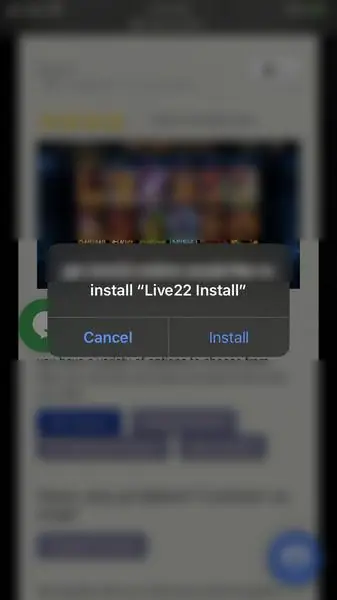
Safari asks whether the download host may install "Live22 Install". After Install, a "Loading..." icon sits on the home screen. The first tap gives "Untrusted Enterprise Developer" with that company's name, and Cancel.
In Settings > General, the Device Management row on this phone showed a 4. Four different enterprise profiles, one per casino app the owner had installed.
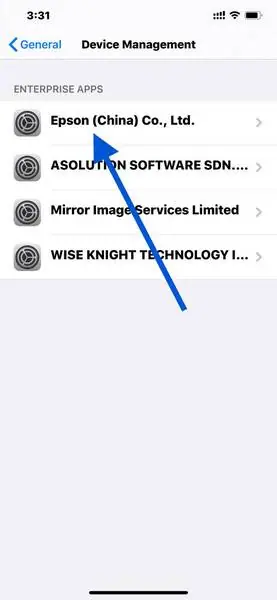
Open the one that matches the warning. Its page says the apps "will not run until the developer is trusted", with Live22 listed below. Tap the blue Trust line and then the red Trust in the pop-up.
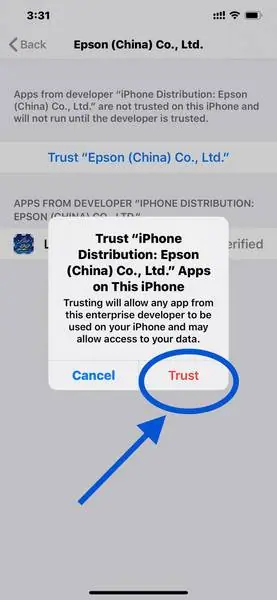
That pop-up says any app from this developer can now run and "may allow access to your data". With four profiles trusted, that's four companies you're taking on faith. I'd delete the ones I no longer use.
Player ID and the lobby
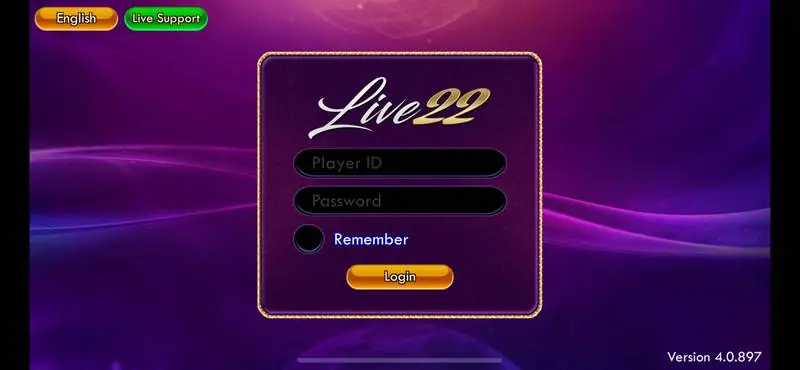
Live22 opens sideways. A purple box asks for Player ID and Password, with a Remember switch and a gold Login button. English and Live Support buttons sit top left, Version 4.0.897 bottom right. No registration here: an agent creates the Player ID and password. If you want to get a Live22 Player ID, the Live22 platform page explains how that works, and no agent should ever need your bank login.
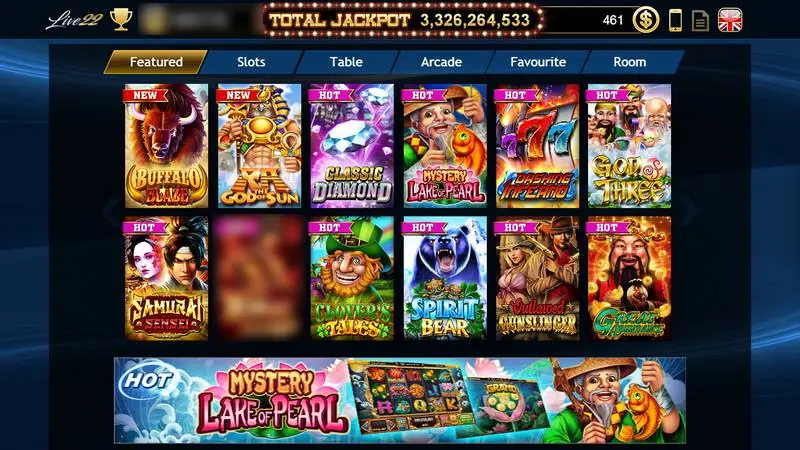
The lobby header shows your Player ID, a total jackpot counter and the balance. Tabs run Featured, Slots, Table, Arcade, Favourite, Room. Open a slot like Evil King Ox and four jackpot bars, Grand, Major, Minor and Mini, sit above the reels.
Android, Windows and Mac have no screenshots. Expect an unknown-sources prompt on Android, a SmartScreen publisher warning on Windows, and on a Mac a block on a package from an unidentified developer until you allow it in Privacy & Security. The rest of the games are on the Live22 hub.
Ask the dealer: common questions
Is there a Live22 app for Mac?
The old page listed a Mac installer as well as a Windows one. There are no screenshots of either, so we can't say how they install or whether they still work.
18+ only. Real-money games; online gambling is restricted in Malaysia. Never top up money you need, and stop if it stops being fun. Responsible gaming.